


Loot channel and split chat
See your loot without opening every corpse! The PerunOTS client has a new Loot tab in the chat. Every monster you kill writes its loot there, for example Loot of a dragon: 46 gold coins. In a party, every member sees the loot of the whole party.
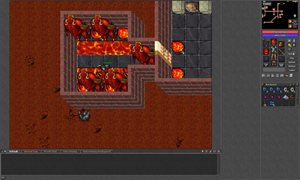
Split chat: click the new button in the top right corner of the chat (marked red below). The Loot channel moves to the right half of the chat, and you keep chatting on the left side as usual. Click the button again to turn it off - you can also right-click the Loot tab and choose Show on the right side. The client remembers your choice.

How to get it: just restart your client - it updates itself. If you play on the old client, you will be asked to update.
Also fixed today: food and a few other items had no weight, they now weigh as much as they should. All changes are in the Recent changes.
See you in the game,
PerunOTS team